
Appearance
CRM Analytics
CRM Analytics is the advanced CRM hub — insights charts, automation, custom fields, integrations, and report design. Day-to-day lead handling stays on CRM.
In Beentara:
- Path: Customers → CRM Analytics (
/crm-analytics) - Permission:
reports.read(and related CRM settings)
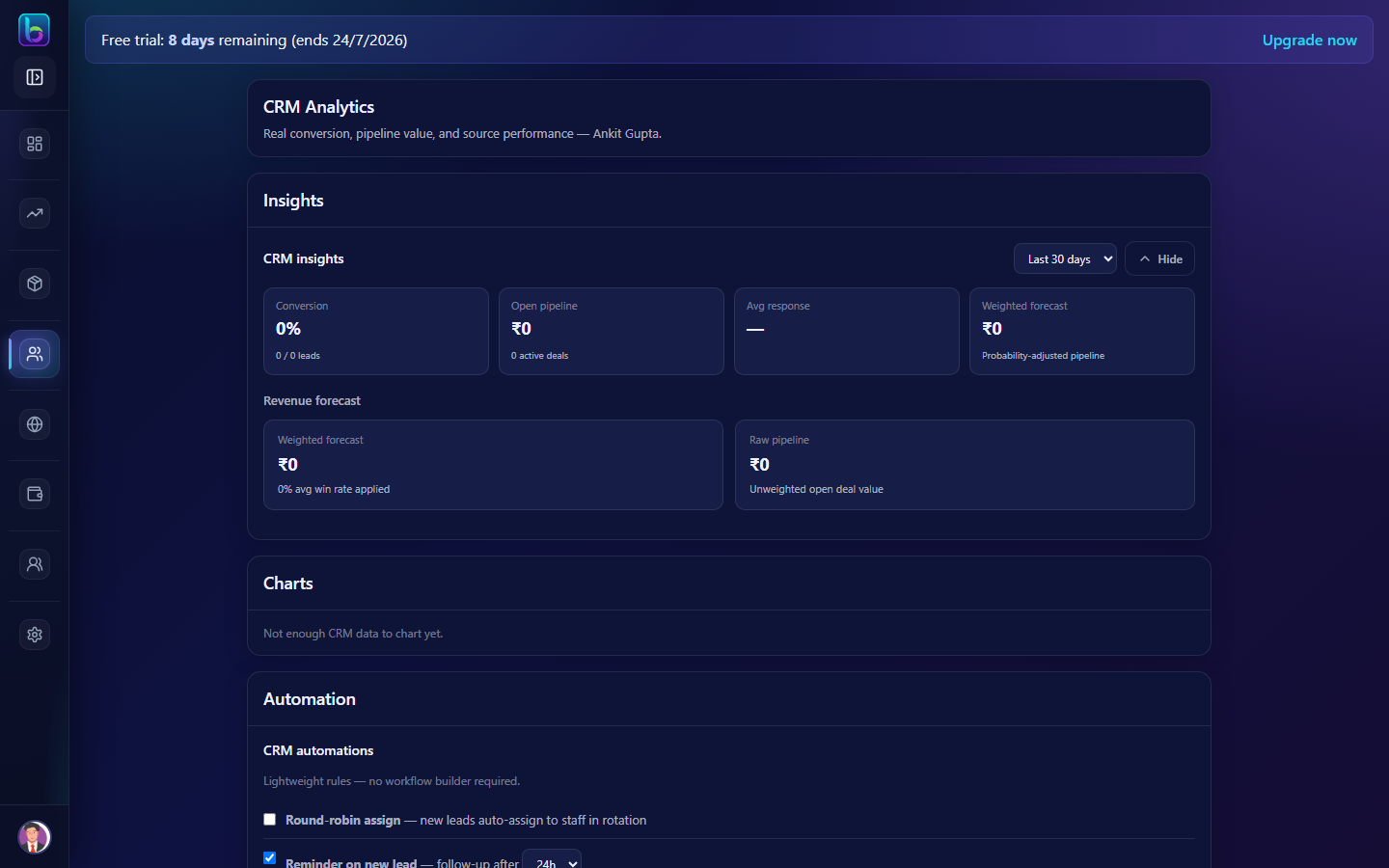 CRM Analytics — insights, automation, and settings sections
Opening the page
- Open Customers → CRM Analytics.
- Or go to
/crm-analytics.
What lives here vs CRM
| Task | Page |
|---|---|
| Add enquiry, assign staff, reminders | CRM (/crm) |
| Pipeline charts, automation rules, reports | CRM Analytics (this page) |
Main areas
| Section | Purpose |
|---|---|
| Insights | Charts and KPIs for pipeline performance |
| Automation | Workflow rules — triggers and actions |
| Attribution | Marketing source tracking |
| Custom fields | Extra data on leads |
| Integrations | Webhooks, Google Ads, partner tools |
| Report designer | Build and export custom CRM reports |
| Platform settings | Pipeline stages, SLA, notification defaults |
Exact sections depend on your plan and enabled modules.
Automation workflow
- Define trigger — e.g. new lead, status change, idle time.
- Set action — assign staff, send notification, update field.
- Test with a sample lead on CRM.
- Monitor results in Insights.
Google Ads integration
Connect ad lead forms to CRM via webhook:
- Settings → Google Ads (
/integrations) — create webhook key. - Paste URL in Google Ads lead form settings.
- Leads appear in CRM automatically.
Guide: Google Ads
Export reports
Use the report designer to filter leads by date, status, assignee, or source. Export CSV for management reviews.
Related guides
| Feature | Guide |
|---|---|
| CRM daily work | CRM |
| Google Ads | Integrations |
| Daily routine | Daily admin routine |
Frequently asked questions
What is CRM Analytics in Beentara?
It is the advanced CRM settings hub for automation, reports, integrations, and platform configuration.
Should my sales team work here daily?
No — use CRM for enquiries. Analytics is for admins configuring rules and reviewing performance.