
Appearance
Add Blog Post
The Add Blog editor (/add-blog) is where you write and publish stories — section blocks, SEO, scheduling, and categories.
In Beentara:
- Path: Website / App → Blog → Add Blog (
/add-blog) - Edit existing: click Edit on
/blogrow → same editor with post ID
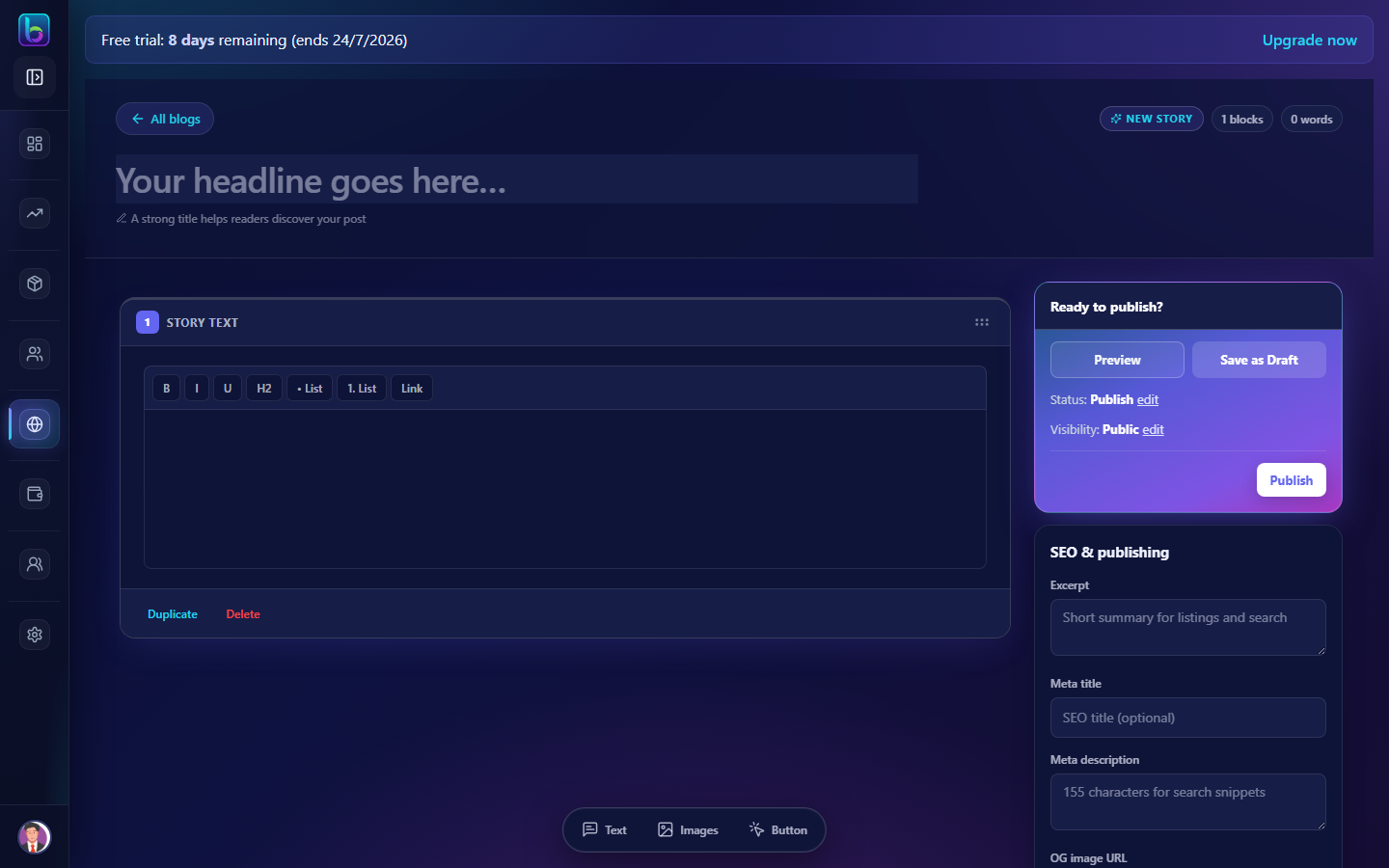 Blog editor — title, sections, SEO panel, and publish
Opening the editor
- From Content Studio (
/blog), click Add Blog. - Or go to
/add-blogdirectly. - To edit, click Edit on a post row — opens
/add-blog?id=...or edit route.
Editor sections
| Area | Purpose |
|---|---|
| Title | Post headline (H1 on storefront) |
| Section blocks | Drag-and-drop — text, images, buttons, embeds |
| Cover image | Hero/thumbnail for listings and social |
| Categories & tags | Organization and filtering |
| Author | Select from Authors |
| SEO panel | Meta title, description, canonical, OG image |
| Publish controls | Draft, schedule, or publish now |
Section blocks
Add blocks in order — typical structure:
- Intro text block
- Image + caption
- Body paragraphs
- Call-to-action button linking to product or page
Reorder by dragging blocks within the editor.
SEO panel
| Field | Tip |
|---|---|
| Meta title | 50–60 characters; include primary keyword |
| Meta description | 150–160 characters summary |
| OG image | 1200×630 recommended for social shares |
| Canonical URL | Override only if syndicating content |
Publish options
| Action | Result |
|---|---|
| Save draft | Visible in Drafts tab only |
| Schedule | Publishes at chosen datetime |
| Publish | Live on storefront immediately |
Related guides
| Feature | Guide |
|---|---|
| Posts list | Blog Posts |
| Categories | Blog Categories |
| Comments | Comments |
Frequently asked questions
How do I add SEO to a Beentara blog post?
Use the SEO panel in the blog editor for meta title, description, and Open Graph image.
Can I duplicate an existing post?
From /blog, use Duplicate on a row — opens a copy as a new draft.