
Appearance
What's New
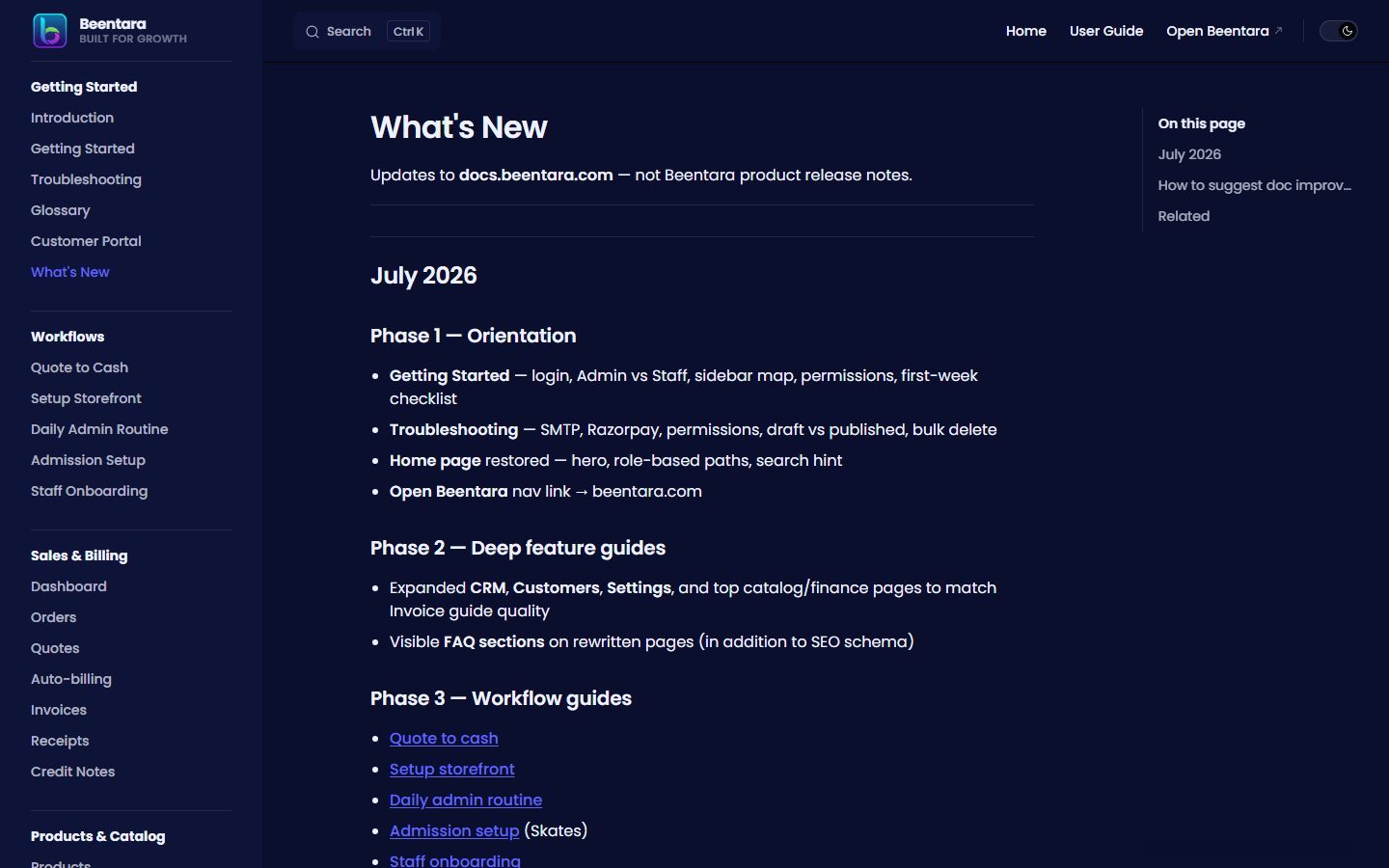 changelog guide
Updates to docs.beentara.com — not Beentara product release notes.
August 2026
WhatsApp (AiSensy) billing setup
- WhatsApp (AiSensy) — step-by-step user manual to copy the API key, username, and Live campaign names from AiSensy and paste them into Settings → WhatsApp (AiSensy) — Billing
- Screenshot of the billing accordion on
/setting - AiSensy template setup: Template Type TEXT, Template Format (
1–5— body must not start or end with a variable), optional Footer, Interactive Actions None, template names with underscores (no spaces) - Template variable order for invoice, quote, receipt, and credit note campaigns
- WhatsApp 4 is the customer portal link (not a PDF and not the Razorpay pay URL). Email still attaches the PDF. Customers log in with OTP to view, download, and pay.
- Smarter fills:
1is first name; invoice/quote3includes due status (due in N days / overdue / paid);4is a short branded/wa/portal tap link. Optional static URL + phone CTAs. AiSensy tags and attributes are set for retargeting. - Auto-billing: same invoice WhatsApp campaign when Also send invoice via WhatsApp is on
- Linked from Settings, Troubleshooting, and the User Guide index
July 2026
Phase 1 — Orientation
- Getting Started — login, Admin vs Staff, sidebar map, permissions, first-week checklist
- Troubleshooting — SMTP, Razorpay, permissions, draft vs published, bulk delete
- Home page restored — hero, role-based paths, search hint
- Open Beentara nav link → beentara.com
Phase 2 — Deep feature guides
- Expanded CRM, Customers, Settings, and top catalog/finance pages to match Invoice guide quality
- Visible FAQ sections on rewritten pages (in addition to SEO schema)
Phase 3 — Workflow guides
Phase 4 — Real screenshots (July 2026, complete)
Strategy: docs/scripts/screenshot-manifest.mjs maps every guide slug → admin route; qa-tests/capture-all-docs-screenshots.mjs runs login → 61 primary routes → 7 sub-routes → UI interactions → PNG aliases for multi-image guides → VitePress preview shots for workflow/meta pages; npm run sync:images in docs/ swaps all SVG refs to PNG.
- 100 PNG files captured from demo tenant HBTEA0044 on beentara.com (83 unique + 17 aliases)
- All 73 guide pages now use real PNG screenshots — zero SVG mockups remain
- Sub-routes: new invoice, new quote, simple product, add customer, new staff, login screen, portal login, configure terms (
/terms/:id) - Interaction shots: quick-create menu, create order, receipt modal, issue credit note
- Docs-only captures: Getting Started, Troubleshooting, Glossary, Changelog, 5 workflow guides, guide index
Re-run capture: cd qa-tests → set DOCS_CAPTURE_EMAIL, DOCS_CAPTURE_PASSWORD, ADMIN_URL, DOCS_TENANT_ID → node capture-all-docs-screenshots.mjs → cd ../docs && npm run sync:images
Phase 4 — Visual documentation (earlier)
- Annotated SVG mockups were used during Phase 2–3; fully replaced by PNG captures above
Phase 5 — Portal & integration
- Customer portal guide
- How to use links on invoice detail, customer detail, and sub-flow pages
- Staff and Skates callouts on relevant guides
- New docs URL slugs in Admin
docsUrls.js
Language switcher (July 2026)
- English (default,
/) and हिन्दी (/hi/) — navbar language menu on all screen sizes - Same-page switching:
/guide/dashboard↔/hi/guide/dashboard - Browser language detection on first visit (Hindi browsers →
/hi/) - Preference saved in
localStorage+ cookie - Translated nav, sidebar, footer, search UI, and home hero
- Hindi content built via
npm run i18n:build(seedocs/scripts/i18n/)
Phase 5 follow-up (July 2026)
- How to use on add/edit customer, all product forms (via
ProductFormChrome), new staff, admission forms/detail, variation terms, expense/product detail - Help & Support page links to Getting Started, Troubleshooting, and full guide
- Anchor-based doc URLs (
invoiceDetail,customerDetail,addCustomer,newStaff, etc.) - Expanded Help & Support, Team Attendance, and Student Attendance guides with staff/Skates callouts
- Customer portal section on Invoices guide
Billing & portal docs (July 2026)
- Customer portal — quotes list, quote detail, OTP login, business name on login, Save my choices, download/print quote PDF (selected lines only), invoices and receipts
- Quotes — Package options on quotes (standard / alternative / optional add-on), portal totals, resend registers email for OTP
- Quote to cash — Step 1b customer portal option selection before convert
- Staff onboarding — check-in/check-out, receiving payments (receipts), billing paths for staff (
/new-quote,/receipt) - Receipts — staff record payment, PDF notes readability
Re-run Hindi site content: cd docs && npm run i18n:build after English guide edits.
Next (optional)
- Short video clips (30–60s) for Dashboard, Invoice, CRM
How to suggest doc improvements
Contact Beentara support via Help & Support in admin, or ask your account manager.
When reporting a docs issue, include:
- The guide URL (e.g.
/guide/crm) - What was unclear or wrong
- Your Beentara module (billing, CRM, Skates, etc.)